Managing Collected Answers
Receive and interact with responses to the questions
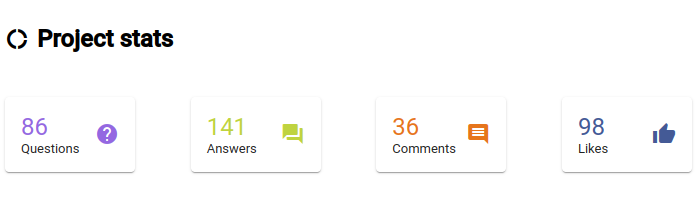
To monitor community checking responses, click on Manage questions under the Community Checking section in the navigation sidebar. Along with a list of questions, basic statistics about responses will be shown.
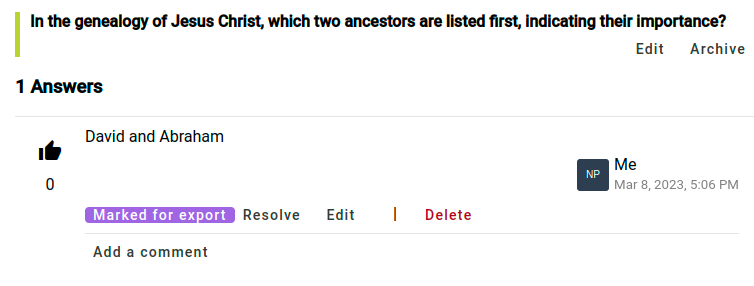
To view the answers from community checkers, click on Questions & answers under the Community Checking section in the navigation sidebar. Then click on a question to see the answers that have been given. If you want an answer to be exported to Paratext, click Mark for export on that answer. If you don’t want to do anything further with the answer, click Resolve. This does not remove the answer, but it marks it as not needing any further action.
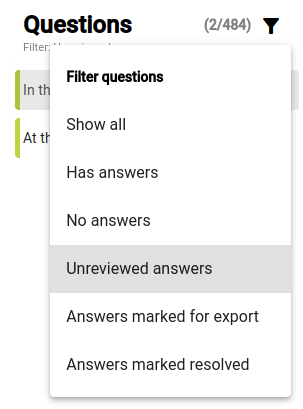
If you want to find answers that have not been marked for export, or marked resolved, use the filter above the list of questions to find Unreviewed answers.
If you would prefer to have all answers exported to Paratext without individually marking them for export, go to the project settings and find the Exporting Answers section. The default option is to only export Answers marked for export, but this setting can be changed to All answers or No answers.

Sync the project so answers show up as notes in Paratext
In the navigation sidebar, click Synchronize. On the page that opens, click Synchronize to send and receive changes from Paratext. Then open your project in Paratext and do a send and receive. Answers from community checkers will show up in your project as notes. Please note that if you reply to these notes in Paratext, your replies will not appear as comments on the answer in Scripture Forge.
The note will show the original question, the name of the community checker who answered, and the answer itself, as shown below.
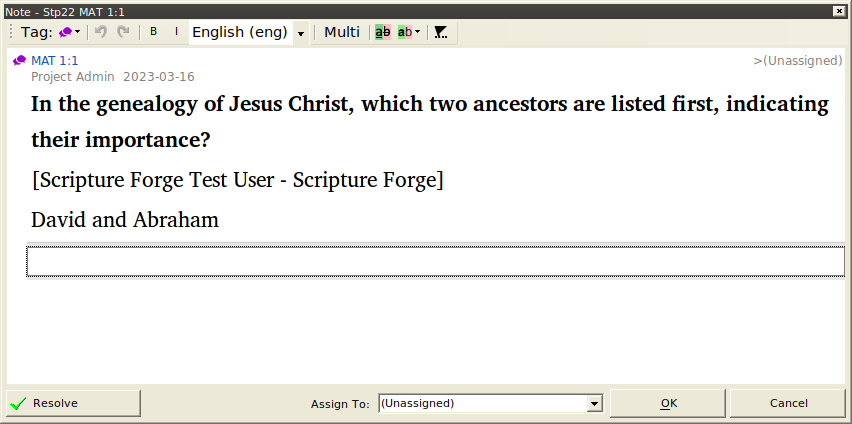
Notes generated from community checking answers will have a unique note tag, with an icon that is different from other notes in your Paratext project. You can change the icon by editing the note tag. For details, see the Paratext help article on custom note tags. You can also filter notes by their note tag, allowing you to show only community checking responses, or hide them from view altogether.
Currently audio answers show up in Paratext but the audio cannot be played. In order to play the audio from an answer it has to be opened in Scripture Forge. This may be improved in the future.